For decades, business phone calls have been the biggest "black hole" in sales and customer operations.
A prospect calls your clinic, agency, or retail service line. A staff member answers, jots down a quick note on a paper slip, promises to send details over WhatsApp, and forgets to log the conversation into your CRM. Two days later, a sales rep calls the same prospect completely blind, asking the exact same discovery questions.
Even worse: when callers ring after business hours or during high-volume rushes, those calls vanish into unanswered logs that nobody reviews.
Historically, bridging your phone lines with CRMs like Zoho CRM, LeadSquared, or HubSpot required complex Computer Telephony Integration (CTI) software, expensive SIP trunking, Twilio API programming, and months of custom software development. In regional markets like Kerala, most businesses gave up on telephony integrations entirely because tools like Salesforce were too expensive and complex for local workflows.
In 2026, that complexity is gone.
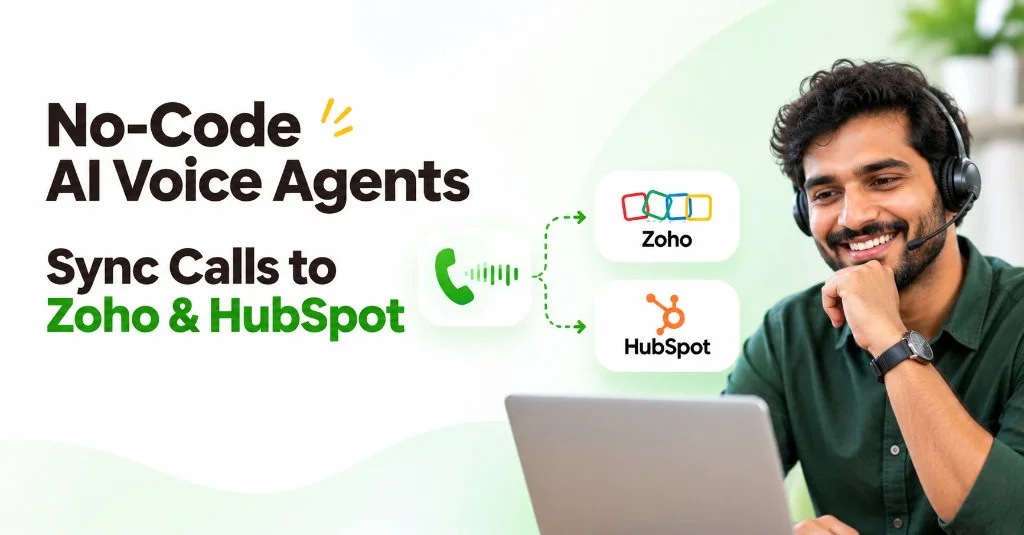
With modern no-code AI voice agent setup, non-technical business owners, clinic administrators, and marketing teams in Kerala and across India can build, test, and deploy a production-grade conversational voice agent that bi-directionally syncs with Zoho CRM, LeadSquared, HubSpot, and Salesforce in under 30 minutes—with zero engineering required.
Want to test before integrating?
You can build a fully custom voice agent persona, select natural Malayalam or English accents, and test a live conversation on your mobile phone in 5 minutes using the Binate Voice AI Builder.
Why Traditional Phone Integrations Failed Indian & Regional Businesses
Before modern voice agents, connecting phone systems to a CRM meant dealing with three fundamental bottlenecks:
- Enterprise Tool Mismatch: Most global CTI software was built strictly around US carrier infrastructure and expensive enterprise platforms like Salesforce. For businesses in Kerala—from Kochi, Thrissur, Kozhikode, and Trivandrum—the primary operating stack is Zoho CRM, Zoho Bigin, LeadSquared, or TeleCRM.
- The Linguistic & Dialect Barrier: Traditional IVR dialers and speech engines could not handle Indian language dynamics. In Kerala, callers rarely speak formal textbook English or pure literary Malayalam; they converse naturally in Manglish (a fluent blend of Malayalam and English within the same sentence) or switch languages mid-call.
- Manual Data Entry Bottleneck: Sales and front-desk staff hate manual logging. Studies show that fewer than 40% of inbound phone inquiries are accurately recorded in CRM systems with notes on location, service requirement, and follow-up timeline.
Modern AI voice agent CRM integration solves this by treating phone calls as intelligent, structured data streams.
The AI agent doesn't just answer the phone; it identifies who is calling, detects the caller's spoken language and location, holds a natural sub-second voice conversation, and writes back structured summaries, sentiment tags, and booking tokens the moment the call ends.
Traditional CTI vs. No-Code AI Voice Agent Setup
Here is how the legacy telephony implementation compares directly with a no-code voice agent deployment:
| Capability | Legacy CTI & Custom Twilio Setup | No-Code AI Voice Agent Integration |
|---|---|---|
| Setup Time | 3 to 8 weeks | Under 30 minutes |
| Engineering Needed | Full-stack developer + Telephony engineer | Zero code (Visual prompt builder & Webhooks) |
| CRM Support | Restricted to expensive Salesforce/Genesys CTI | Native support for Zoho CRM, Zoho Bigin, LeadSquared, HubSpot |
| Language & Dialect | Robotic English only | Native Malayalam, English, and Manglish code-switching |
| Location Intelligence | Raw phone number only | Extracted location context (e.g., Kochi, Kerala, Trivandrum) |
| Call Logging | Call duration & raw audio file | Instant bullet summary, key objections, & sentiment |
| Action Automation | Basic manual task reminder | Auto-creates Leads, books Google/Zoho Calendar, sends WhatsApp |
How Bi-Directional CRM Voice Sync Works
To understand why this setup takes only 30 minutes, you need to understand the two-way data exchange between the AI voice agent and your CRM:
[Incoming Phone Call (+91 Number)]
        │
        ▼
[1. Pre-Call Lookup (0.2s)] ──▶ Queries Zoho CRM / HubSpot via Caller Phone Number
        │                       ↳ Retrieves: Name, Past Inquiries, Assigned Staff, City
        ▼
[2. Live Conversation]    ──▶ Voice AI auto-detects language (Malayalam / English)
        │                       ↳ "ഹലോ ഡോ. അനൂപ്, കൊച്ചി ക്ലിനിക്കിലെ അപ്പോയിന്റ്മെന്റിനാണോ വിളിച്ചത്?"
        ▼
[3. Post-Call Webhook]    ──▶ Pushes structured JSON payload back to CRM:
                                ↳ Full audio recording & Malayalam/English transcript
                                ↳ 3-bullet executive summary & extracted location
                                ↳ Automatically creates/updates Lead in Zoho CRM or HubSpot
                                ↳ Dispatches instant WhatsApp confirmation token
Because modern voice platforms manage the speech-to-text (STT), large language model reasoning (LLM), and text-to-speech (TTS) pipeline in a single sub-second container, you only need to configure the business logic and webhook endpoints.
Step-by-Step: Deploying Your AI Voice Agent in 30 Minutes
Follow this 4-step framework to launch an automated voice agent connected to your Zoho, LeadSquared, or HubSpot pipeline.
Step 1: Define Persona, Knowledge Base & Guardrails (0–10 Minutes)
Every voice agent starts with clear system instructions. Rather than writing code, you write natural-language prompts defining:
- Role & Objective: e.g., "You are Arya, an inbound front-desk receptionist for a healthcare practice in Kochi, Kerala. Your goal is to identify why the patient is calling, verify their location, answer clinic timing questions, and schedule a consultation."
- Language Handling: Instruct the agent to greet callers warmly and seamlessly adapt: "If the caller speaks in Malayalam or Manglish, reply naturally in Malayalam. If they speak in English, respond in professional Indian English."
- Location Extraction: Instruct the agent to capture the caller's city or preferred clinic branch (e.g., Kakkanad, Marine Drive, or Edappally in Kochi).
Prompt Snippet Example:
"You represent Binate Healthcare in Kochi, Kerala.
Consultation slots are available Monday through Saturday from 9:30 AM to 6:30 PM.
Always ask for the patient's preferred branch location in Ernakulam
before offering an open calendar slot."
Step 2: Assign Telephony & Call-Forwarding Rules (10–15 Minutes)
You do not need to port your main business phone number or buy expensive PBX hardware:
- Option A (Instant Dedicated Indian DID): Provision a new virtual Indian number (+91) with local STD routing (such as Kochi +91-484 or standard Indian virtual mobile numbers) directly from your voice AI dashboard in one click.
- Option B (Conditional Forwarding): Keep your existing published Airtel, Jio, or BSNL landline/mobile number. Set up carrier call-forwarding so calls route to the AI agent only when your line is busy, unanswered after 3 rings, or after 6:00 PM.
This guarantees that your in-house staff can answer during normal hours, while the AI acts as an instant 24/7 safety net for after-hours and weekend inquiries.
Step 3: Configure Zoho CRM, LeadSquared, or HubSpot Webhook Sync (15–25 Minutes)
Modern voice agents communicate with CRMs via standard REST webhooks or no-code automation platforms like Zoho Flow, Zapier, and Make.
1. The Post-Call Webhook Payload:
The moment the caller hangs up, the voice engine compiles the call analytics, transcribes the conversation, extracts key entities (including caller location and language), and sends a clean JSON payload directly to your CRM webhook:
{
  "event": "call.completed",
  "call_id": "call_984f1a23c4",
  "caller_number": "+919847000000",
  "duration_seconds": 142,
  "disposition": "meeting_scheduled",
  "caller_sentiment": "positive",
  "summary": "Caller inquired about multi-location clinic appointment booking. Confirmed 3 doctors on staff in Kochi. Booked consultation for Friday at 11:00 AM.",
  "extracted_data": {
    "caller_name": "Dr. Anoop Menon",
    "business_type": "Dental Clinic",
    "location": "Kochi, Kerala",
    "detected_language": "Malayalam / Manglish",
    "requested_slot": "2026-11-15T11:00:00Z"
  },
  "recording_url": "https://cdn.thebinate.in/recordings/call_984f1a23c4.mp3"
}
2. Connecting to Zoho CRM & Zoho Bigin (Most Popular in India):
Because Zoho is the most popular CRM for businesses across Kerala and India, connecting it is straightforward:
- In Zoho Flow or Zoho CRM Webhooks, create an incoming webhook trigger named "Binate Voice Call Logger".
- Map
extracted_data.caller_name→ Zoho Lead Name / Contact Name. - Map
caller_number→ Phone. - Map
extracted_data.location→ City / State (Kochi, Kerala). - Map
extracted_data.detected_language→ Preferred Language (Custom Field). - Set the call
summaryandrecording_urlas a new Closed Activity / Note attached to the Lead. - If
disposition == "meeting_scheduled", automatically create a new Event on Zoho Calendar.
3. Connecting to LeadSquared:
- Use LeadSquared's Telephony REST API endpoint (
/v2/Lead.Capture). - Map incoming parameters into LeadSquared custom attributes (
mx_Location: Kochi, Kerala,mx_Call_Summary,mx_Audio_Recording). - Automatically assign high-scoring leads to regional sales representatives based in Ernakulam or Trivandrum.
4. Connecting to HubSpot & Salesforce (For Global & Enterprise Teams):
- HubSpot: Map the payload to the HubSpot CRM v3 Contacts and Deals endpoints. The pre-call lookup uses HubSpot's Search API to display previous deal interactions in real-time.
- Salesforce: Map
caller_numbertoLead.PhoneandsummarytoTask.Description. Configure an automated Salesforce Flow to advance Opportunity stages from Prospecting to Qualification.
Step 4: End-to-End Testing & Latency Verification (25–30 Minutes)
Before public launch, test your agent under realistic mobile conditions:
- Dial from a Mobile Phone: Speak naturally in Malayalam, English, or a mix of both (Manglish). Total round-trip latency should feel crisp (sub-400ms) with zero awkward conversational pauses.
- Verify CRM Record Creation: Hang up the call and check your Zoho CRM, LeadSquared, or HubSpot dashboard:
- A new Lead or Contact was created with the correct location (
Kochi, Kerala). - The call summary and audio recording are attached to the activity timeline.
- An instant WhatsApp confirmation message was dispatched to the caller.
- A new Lead or Contact was created with the correct location (
3 Critical Best Practices for Clean CRM Call Data
When deploying your first no-code AI voice agent, follow these revenue operations best practices:
1. Standardize Call Disposition Tags
Do not allow the AI to generate arbitrary call outcomes. Constrain the agent's output schema to predefined categories that match your CRM pipeline stages:
meeting_scheduledpricing_inquiry_sentsupport_issue_escalatedspam_or_wrong_number
This ensures your CRM analytics and regional conversion dashboards remain clean and filterable.
2. Pair Voice Calls with Instant WhatsApp Confirmations
Voice conversations are transient. Callers in India appreciate receiving an immediate digital confirmation while the call is ending.
By pairing your voice agent with automated WhatsApp voice and message integration, the system can dispatch a calendar invite, clinic location pin in Kochi, or service brochure to the caller's WhatsApp before they even hang up.
3. Implement Human Warm-Handoff Rules
Voice AI is designed to handle repetitive inquiries and initial qualification, not high-stakes contract negotiations or clinical emergencies.
Always configure an emergency transfer trigger. For example: if a caller in Kochi requests to "speak with a doctor immediately" or mentions critical health symptoms, instruct the AI to execute an instant SIP transfer to your on-call medical or sales desk.
The Speed-to-Lead Advantage
Integrating your voice agent with your CRM does not just help with inbound calls; it unlocks automated outbound speed-to-lead.
When a high-intent prospect fills out a contact form on your website or submits a Meta Lead Ad, your CRM can immediately trigger the voice agent via webhook. Within 15 seconds, the AI calls the prospect while their browser tab is still open, answers their immediate questions in Malayalam or English, and books them on your sales team's calendar.
As explored in our deep dive on speed-to-lead automated call follow-up, contacting prospects within the first 5 minutes increases conversion rates by over 21x compared to waiting even 30 minutes.
Frequently Asked Questions
Yes. Through standard webhook endpoints and Zoho Flow, modern AI voice platforms can sync caller details, audio recordings, Malayalam transcripts, and location data directly into Zoho CRM or Zoho Bigin in under 30 minutes with zero code.
The system performs real-time acoustic speech recognition in the first 400 milliseconds of the call. It automatically identifies whether the caller speaks in Malayalam, English, or Manglish without forcing them through touch-tone phone menus, while extracting their city location (such as Kochi, Kozhikode, or Trivandrum).
No. Visual prompt builders and pre-configured webhook connectors eliminate custom coding. Business owners, clinic managers, or marketing teams can configure agent personas, connect phone numbers, and map CRM fields in under 30 minutes.
Reliable voice platforms cache call recordings, transcripts, and structured extraction payloads locally on secure cloud servers. If your CRM endpoint fails to respond, the platform automatically retries webhook delivery using exponential backoff so no customer lead is ever lost.
Connect Your Phone System to Zoho & Your CRM Today
Stop letting customer calls slip through the cracks. Build and test a custom AI voice agent in Malayalam or English with instant CRM webhook sync.
Test Live Demo →